About Stephen
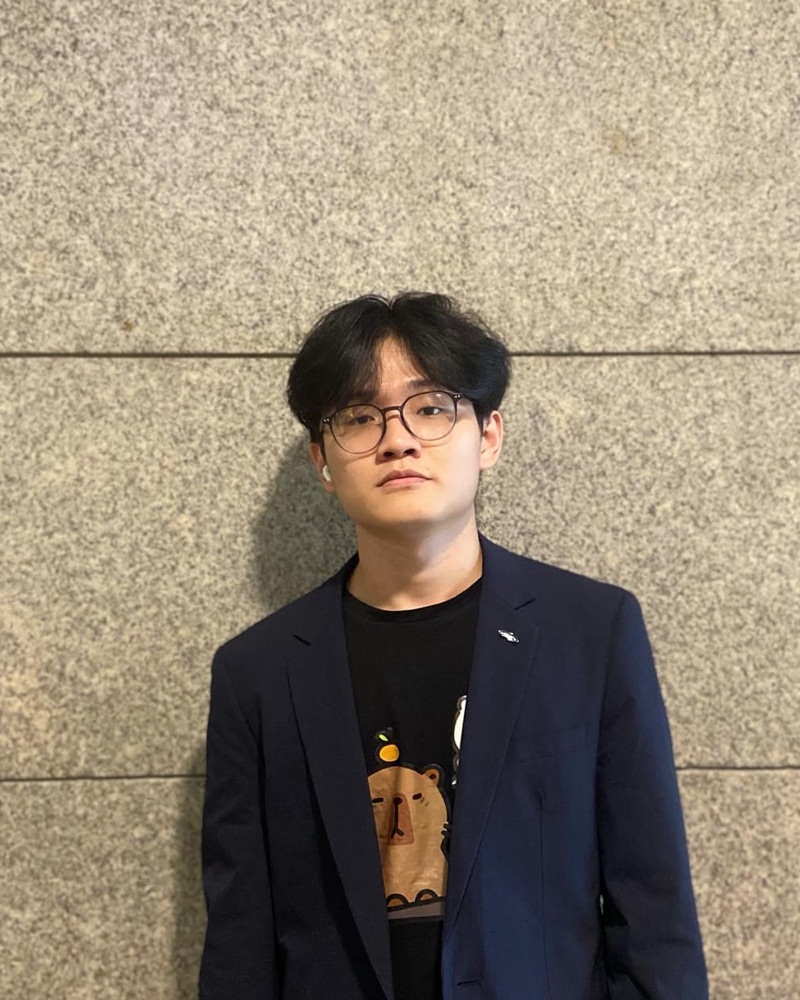
Portrait of Soe Moe Htet

Soe Moe Htet

Desktop Software · Stephen

Local-first desktop apps for macOS, Windows and Linux.

I build desktop tools that run on your own machine: private, fast, and with a proper window, menus and shortcuts. Right now that is a git client, a word processor, a roguelike and a local-AI comic studio, all on Tauri 2 with the heavy lifting in Rust.

  • macOS
  • Windows
  • Linux
0apps in the works
0platforms
0tools in the stack
stephen — -zsh — 80×24
stephen@desktop ~ $
App Store
In progress
GitDesk

A lightweight desktop git client in the spirit of GitHub Desktop. Review changes with a proper diff, pick exactly which files go into a commit, browse history, switch branches and sync with your remote. Under 5 MB, with a Rust core that drives your own git.

  1. Changes
  2. Diff
  3. Commit
  4. History
  5. Push
Get · coming with M4Open app page →Source
Version0.1.0
UpdatedOct 11, 2026
PlatformsmacOS · Windows · Linux
Size4.4 MB

GitDesk covers the git work I do most days: read a diff, tick the files that belong in this commit, push. It does that in an app small enough not to notice, at 4.4 MB, and opens straight into a repository from the terminal.

  • Changes view with per-file checkboxes: commit exactly the files you pick and leave the rest alone.
  • Side-by-side line numbers and coloured hunks in the diff view, for working-tree and historical changes.
  • History with commit details and per-file diffs, loaded 100 commits at a time.
  • Branch picker with filter, create-from-current and one-click checkout of remote branches.
Why desktop.md

# why-desktop.md

Why I build desktop apps

Most software moved into a browser tab, and for a lot of it that is fine. The tools I use every day work better as real apps: they open instantly, work offline, keep files where I can see them, and respect the shortcuts my hands already know. That is what I build.

  1. 01

    Local-first

    Your files stay on your disk in formats other apps can read: .docx, plain git repositories, SQLite. No account, no sync server, nothing phoning home. Comic Studio runs its AI models on your own machine too.

  2. 02

    Small and fast

    Tauri uses the system webview instead of shipping a browser, so GitDesk is 4.4 MB and Lantern 4.1 MB. Heavy work runs in Rust, off the UI thread.

  3. 03

    Feels like it belongs

    Real windows and menus, light and dark themes that follow the system, platform shortcuts, and a prompt before you lose unsaved work.

  4. 04

    Keyboard-first

    Common actions have shortcuts. YayMal uses Word’s, and Lantern plays entirely from the keyboard with arrows, WASD, vi keys or the numpad.

  5. 05

    Tested where it counts

    The logic lives in a Rust core with its own tests. GitDesk’s git layer runs against real repositories; Lantern’s generator is checked across 200 seeds.

How each app is put together

  1. Rust core
  2. Typed commands
  3. React UI
  4. CI on 3 OSes
  5. Signed builds

Each app is a Rust core that owns files, processes and state, with a React UI that calls it through typed Tauri commands. Signed, notarised builds with auto-update are the last milestone on every roadmap.

On the desk right now

Settings — Stack

SShell

  • Tauri 2
  • Rust
  • Electron
  • Flutter desktop

UUI

  • TypeScript
  • React
  • Tailwind
  • Canvas 2D
  • TipTap / ProseMirror

LLocal AI

  • LM Studio
  • Ollama
  • ComfyUI
  • OpenAI-compatible APIs

SShipping

  • Code signing
  • Auto-update
  • GitHub Actions
New message

TO

soemoehtetstephen@gmail.com

Building something local-first? Say hello, and I will reply within a day.